Existing printer: what details confirm wristband fit?
How can you check wristbands for a printer you already own?
Confirm the full printer model and printing method, then the roll or cartridge format, physical dimensions and detection method supported by that model. Test samples with an anonymised or fictional template on the actual printer, scanner and application, recording consecutive printing and results in the intended environment. A brand, appearance or “thermal wristband” name alone cannot establish compatibility. Mark unknown items for confirmation.
Scroll to view all options
| Information | Details to provide | Checks and sample tests |
|---|---|---|
| Full model and printing method | Brand, full model and suffix, configuration report and driver details. Confirm direct thermal or thermal transfer; confirm ribbon requirements for thermal transfer. | Check the printing method and media requirements in the official manual for that model. A brand or similar model is not a substitute for the full model check. |
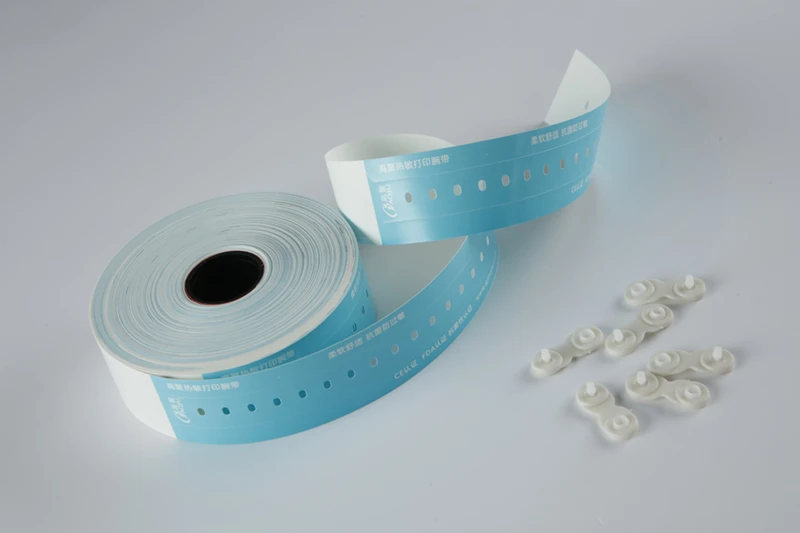
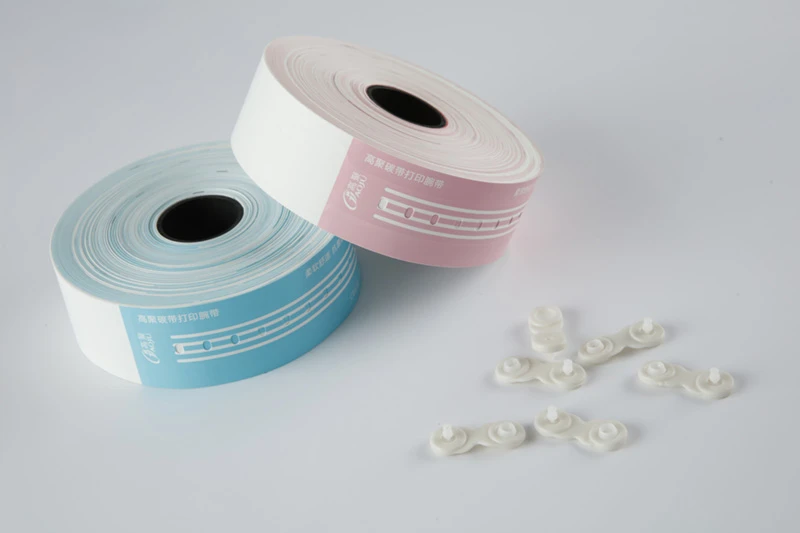
| Roll or cartridge and physical dimensions | Feed format, wristband width, length, thickness and printable area. For rolls, provide core and outer diameters; for cartridges, provide the full model or part number. | Check model-specific loading and size requirements, then sample-test feeding and the printable area. A roll fitting inside does not establish cartridge interchangeability. |
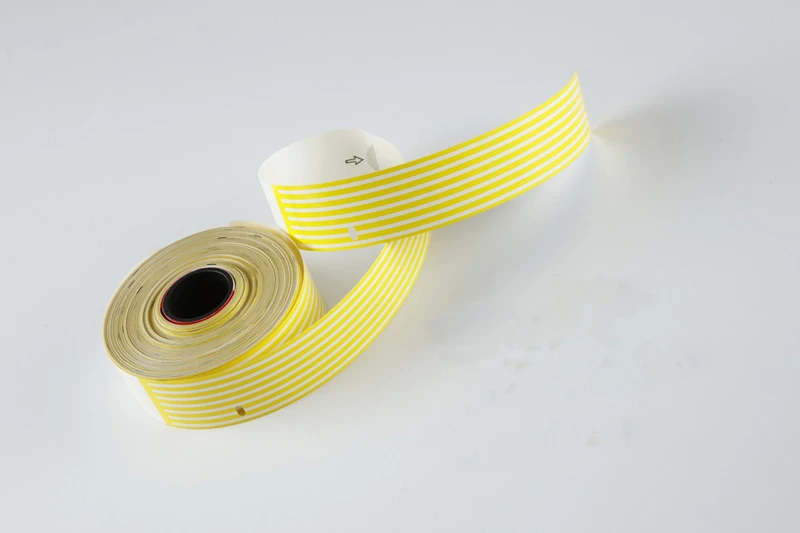
| Black mark, gap or continuous media | Media type, mark or gap position and repeat spacing, plus the printer model’s sensor position, supported detection modes and current settings. | Match detection mode and media positioning to the model’s manual and perform the applicable calibration. Check start position, skipped bands and drift across consecutive prints. |
| Resolution, anonymised template and scanner | Print resolution, driver and template dimensions, text and barcode format, scanner and application. Provide only anonymised or fictional fields, never real patient data. | Print the intended template and check text, boundaries and barcode placement. Compare decoded values with the expected fictional values on the actual device and application. |
| Consecutive printing and environment test records | Agreed consecutive print quantity or duration, wearing and exposure conditions, sample batch and acceptance criteria. Specify planned exposure conditions if cleaning agents are involved. | Record feeding, skipped bands, drift and consecutive scans. Recheck text and barcodes before and after the agreed exposure; judge performance from that sample’s records. |
What should you check first if print position shifts after changing media?
Check media dimensions, mark or gap position, detection mode and sensor position, then the length, printable area and start position in the driver and template. Follow the full model’s instructions for applicable calibration, print consecutive samples and record whether the shift repeats. One print alone does not confirm restored positioning.
Is one successful scan enough for acceptance?
No. One successful scan only shows that one sample was read by that device at that moment. Agree on consecutive printing and scanning conditions, compare decoded values across samples and recheck after the planned wearing, exposure and use duration. Keep the batch, settings and results, and assess them against the agreed acceptance criteria.
Official sources for printing methods and media formats
- Zebra: basic differences between direct thermal and thermal transfer ↗
- Zebra ZD411D documentation: rolls, black marks, gaps and continuous media ↗
- Zebra ZD510-HC specification: dedicated wristband cartridges (PDF) ↗
These sources explain basic printing methods and media formats. They do not establish WEARAMIO wristband compatibility with any specific Zebra model, certification or original-manufacturer supply, nor alcohol resistance or medical compliance. Confirm the exact fit and test samples in the intended environment.
Define the printer and layout first
Record the complete printer model, resolution, feed format, and current consumables. Gather a de-identified print template and photos of the current wristband, specifying adult or child requirements, printed fields, and planned duration of use. WEARAMIO selection references identify styles for discussion; they do not replace a specification sheet or printer compatibility confirmation.
Check core size, roll diameter, wristband width, positioning marks, and printable area rather than comparing total length alone. For ribbon-based printing, also confirm ribbon type, width, and loading direction.
Test whether information remains legible in the actual environment
Heat, light, and abrasion can affect direct thermal images; thermal transfer also depends on a suitable ribbon and media combination. Include wearing duration, potential liquid contact, and storage conditions in the sample request. Have the supplier confirm test conditions instead of treating a general printing principle as a durability guarantee for a specific model.
Print the same de-identified template continuously, checking incomplete characters, barcode edges, positioning drift, and feeding. After exposing samples to the agreed conditions, scan them again with the intended devices. Retain the original samples and photos of the results.
Compare the cost of a successful print
Alongside wristband unit cost, compare ribbons, pack quantities, trial waste, loading work, and replenishment. Record the consumable quantity and successful prints per batch before comparing costs, so a low unit price is not offset by repeated reprints.
- Enquiry: printer model, specifications, print template, expected consumption, and required delivery.
- Sample record: material batch, print settings, test conditions, and scan results.
- Order approval: sample version, packaging, acceptance criteria, and exception handling.
Common questions
Can all direct thermal wristbands use the same printer?
Do not assume so. Check the media format, dimensions, and positioning method supported by the printer, and test the selected wristband.
Is thermal transfer always preferable for hospital purchasing?
Assess the equipment, use environment, and operating cost. Where information needs to remain legible for longer, compare compatible thermal transfer options, but still confirm them through sample tests.
Should an enquiry include real patient information?
No. Fictitious data or a de-identified template can show field lengths, barcode types, and layout needs.